> For the complete documentation index, see [llms.txt](https://docs.kemperconnect.de/llms.txt). Markdown versions of documentation pages are available by appending `.md` to page URLs; this page is available as [Markdown](https://docs.kemperconnect.de/getting-started/migration-guide.md).
# Migration Guide
Migrate your KEMPER Connect Assets from Version 1.0 to Version 2.0
## Overview
This guide explains how to migrate from the legacy KEMPER Connect platform to the new KEMPER Connect platform.
The migration process is largely automated and requires minimal interaction. The steps and behavior are described below.
## Concept
### No Manual Migration
You do not need to manually transfer devices or configurations.
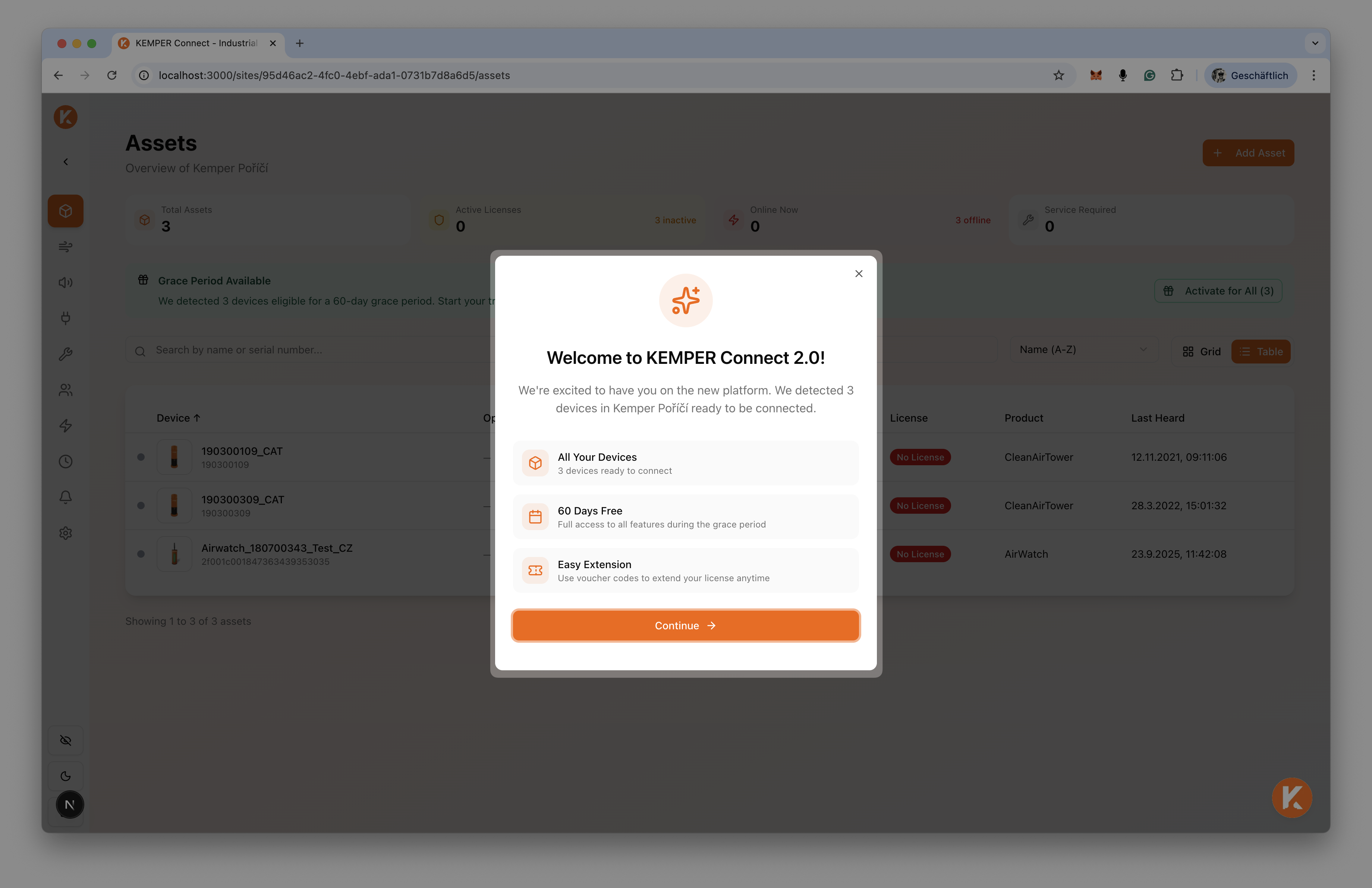
The new KEMPER Connect platform automatically detects when you access it after previously using the legacy platform. If such a transition is detected, your devices become eligible for a temporary grace period.
The migration itself happens automatically in the background. The platform will display which devices qualify for a grace period. To activate it, simply click **“Activate Grace Period.”**
No additional setup or data migration steps are required.
### Grace Period
When switching to the new platform, eligible devices can be assigned a 60-day grace period.
During this period, devices remain fully functional without requiring an active license. This allows sufficient time to transition licensing to the new platform.
## FAQs
### What Happens After the Grace Period Ends?
Once the 60-day grace period expires, the device no longer has an active license.
In this state:
* The device remains visible in the platform.
* No new data will be displayed.
* Device-related functions, automations, and other feature integrations are disabled.
The platform automatically notifies users:
* 30 days before the grace period expires
* Additional reminders as the expiration date approaches
### Reactivating a Device After Grace Period
After the grace period ends, a valid voucher code must be entered in the **License** tab of the respective device to restore full functionality.
Voucher codes can be purchased directly from KEMPER. Please contact the sales team for pricing and availability. Relevant contact information is also accessible within the platform.
### Purchasing a Voucher
To obtain a voucher code, contact the KEMPER sales team. Once purchased, enter the voucher code in the device’s **License** section to activate the license.
## Troubleshooting
### Not All Devices Are Eligible for Grace Period
If you activate the grace period but not all devices in your workspace are eligible, this may indicate that:
* The device has already been claimed by another user
* The device was previously assigned to multiple workspaces or sites
In such cases, please contact platform support or use the live chat feature available via the chat icon in the bottom-right corner of the KEMPER Connect platform.
---
# Agent Instructions
This documentation is published with GitBook. GitBook is the documentation platform designed so that both humans and AI agents can read, navigate, and reason over technical content effectively. Learn more at gitbook.com.
## Querying This Documentation
If you need additional information that is not directly available in this page, you can query the documentation dynamically by asking a question.
Perform an HTTP GET request on the current page URL with the `ask` query parameter, and the optional `goal` query parameter:
```
GET https://docs.kemperconnect.de/getting-started/migration-guide.md?ask=&goal=
```
`ask` is the immediate question: it should be specific, self-contained, and written in natural language.
`goal` is optional and describes the broader end goal you are ultimately trying to accomplish on behalf of the user. GitBook uses it to tailor the answer towards what is most useful for that goal.
The response will contain a direct answer to the question and relevant excerpts and sources from the documentation.
Use this mechanism when the answer is not explicitly present in the current page, you need clarification or additional context, or you want to retrieve related documentation sections.