> For the complete documentation index, see [llms.txt](https://docs.kemperconnect.de/llms.txt). Markdown versions of documentation pages are available by appending `.md` to page URLs; this page is available as [Markdown](https://docs.kemperconnect.de/monitoring-and-compliance/air-quality.md).
# Air Quality
The dashboard aggregates particulate matter data from all connected air quality devices to provide a real-time status indicator and detailed historical performance rankings.
## Overview
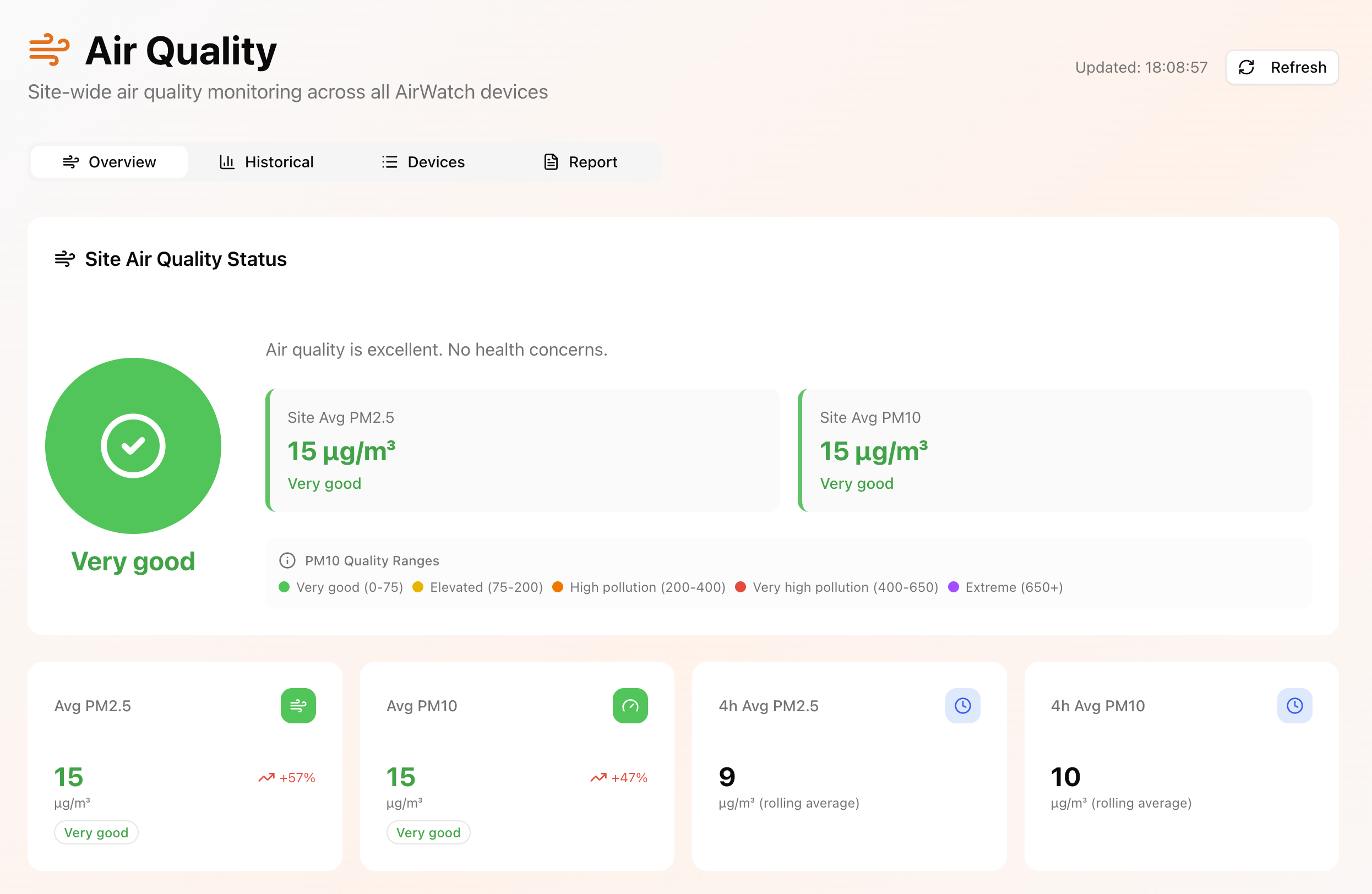
The Air Quality Dashboard provides a consolidated site-level overview of air quality across all AirWatch and compatible air quality devices within a workspace.
It calculates aggregated air quality indicators based on all available devices and displays the overall site status using averaged particulate matter values (PM2.5 and PM10).
### Site Air Quality
At the top of the dashboard, a traffic light visualization summarizes the overall air quality status of the site.
The status is calculated using the average PM2.5 and PM10 values across all active air quality devices in the workspace. This provides an immediate indication of whether air conditions are within acceptable ranges or require attention.
### KPIs
The dashboard includes key performance indicators based on aggregated sensor data:
* Average PM2.5
* Average PM10
* 4-hour rolling average (PM values)
In addition, the dashboard highlights:
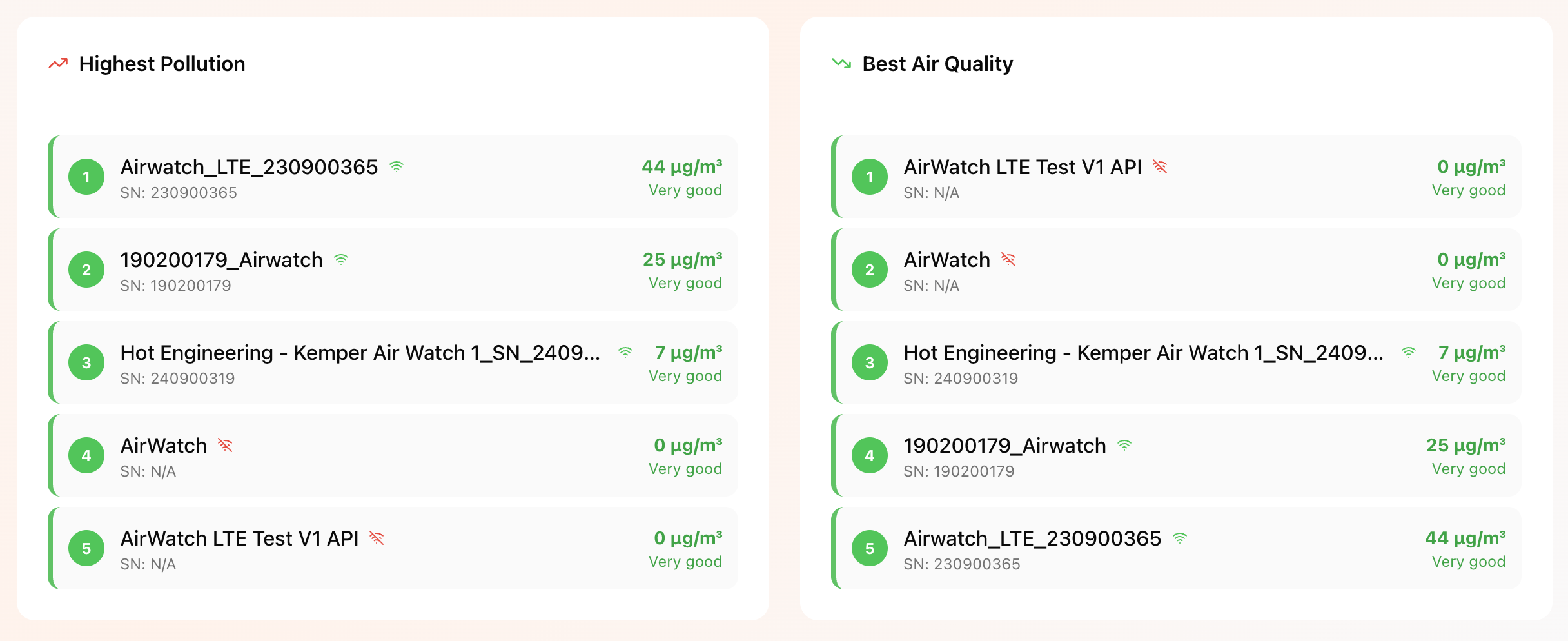
* Top 5 devices with the highest pollution levels
* Top 5 devices with the lowest pollution levels (best air quality)
This enables quick identification of critical zones as well as best-performing areas within the facility.
## Devices
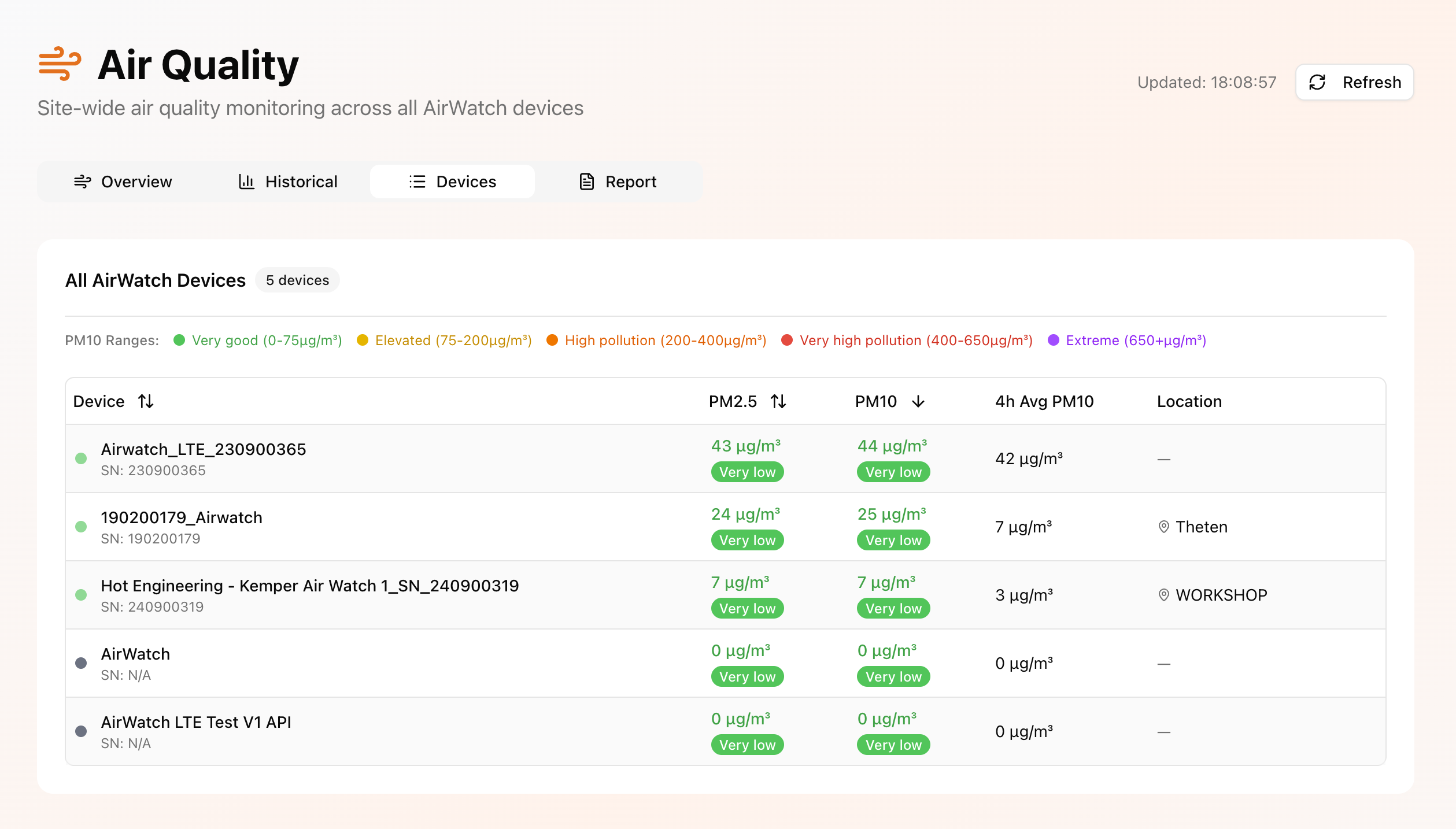
The **Devices** tab provides a detailed table view of all air quality devices within the workspace.
For each device, individual measurement values and calculated indicators are displayed to allow device-level analysis and comparison.
## Historical Analysis
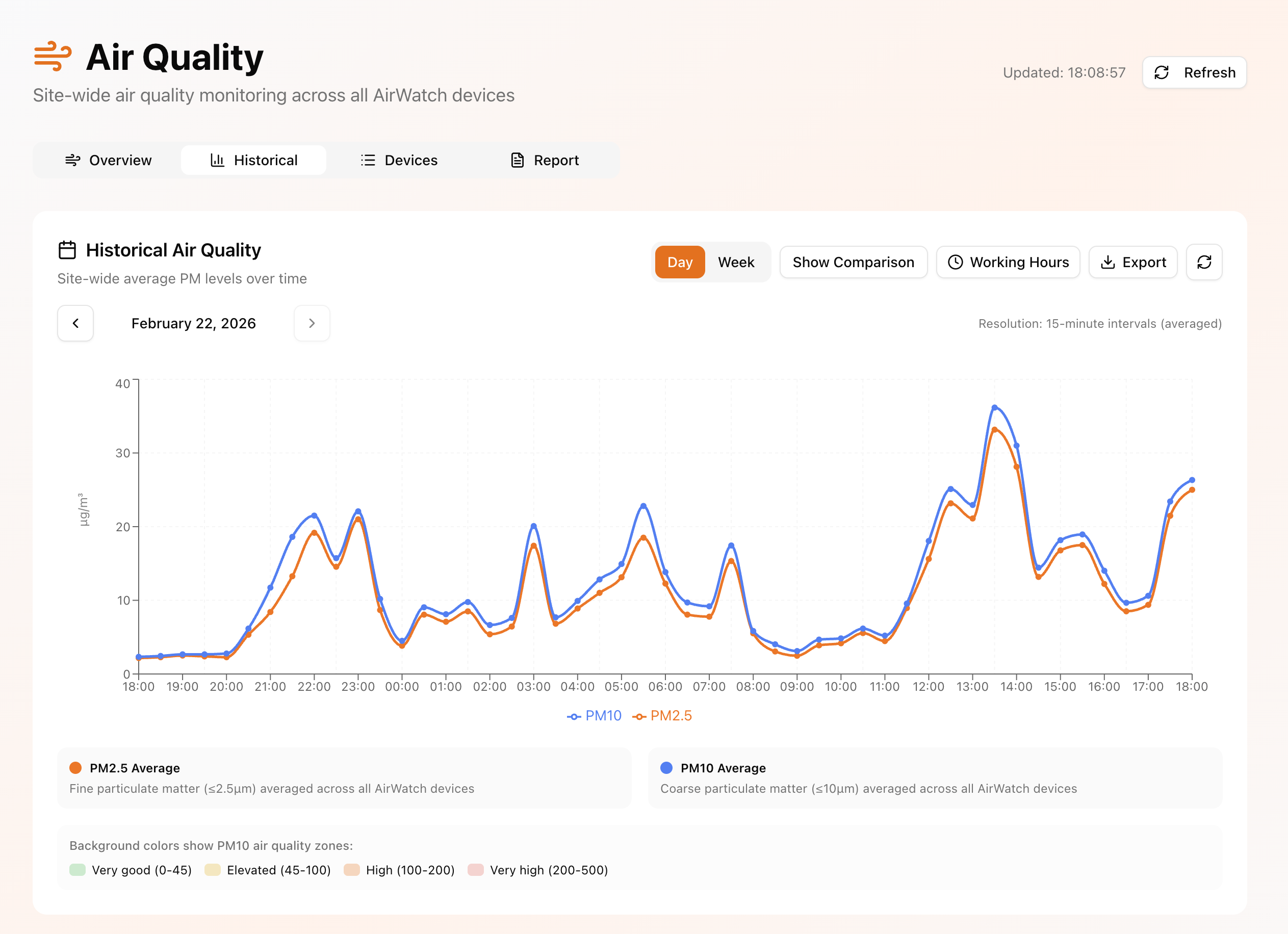
The **Historical** tab provides time-based evaluation of air quality data.
Users can:
* View trends by day, week, or month
* Compare selected time periods (e.g., current vs. previous period)
* Filter data by defined working hours to exclude non-operational periods
* Review percentage-based changes between time ranges
* Export data as Excel or CSV files for reporting and documentation
This enables structured analysis of long-term air quality development and validation of implemented improvement measures.
## Report Generation
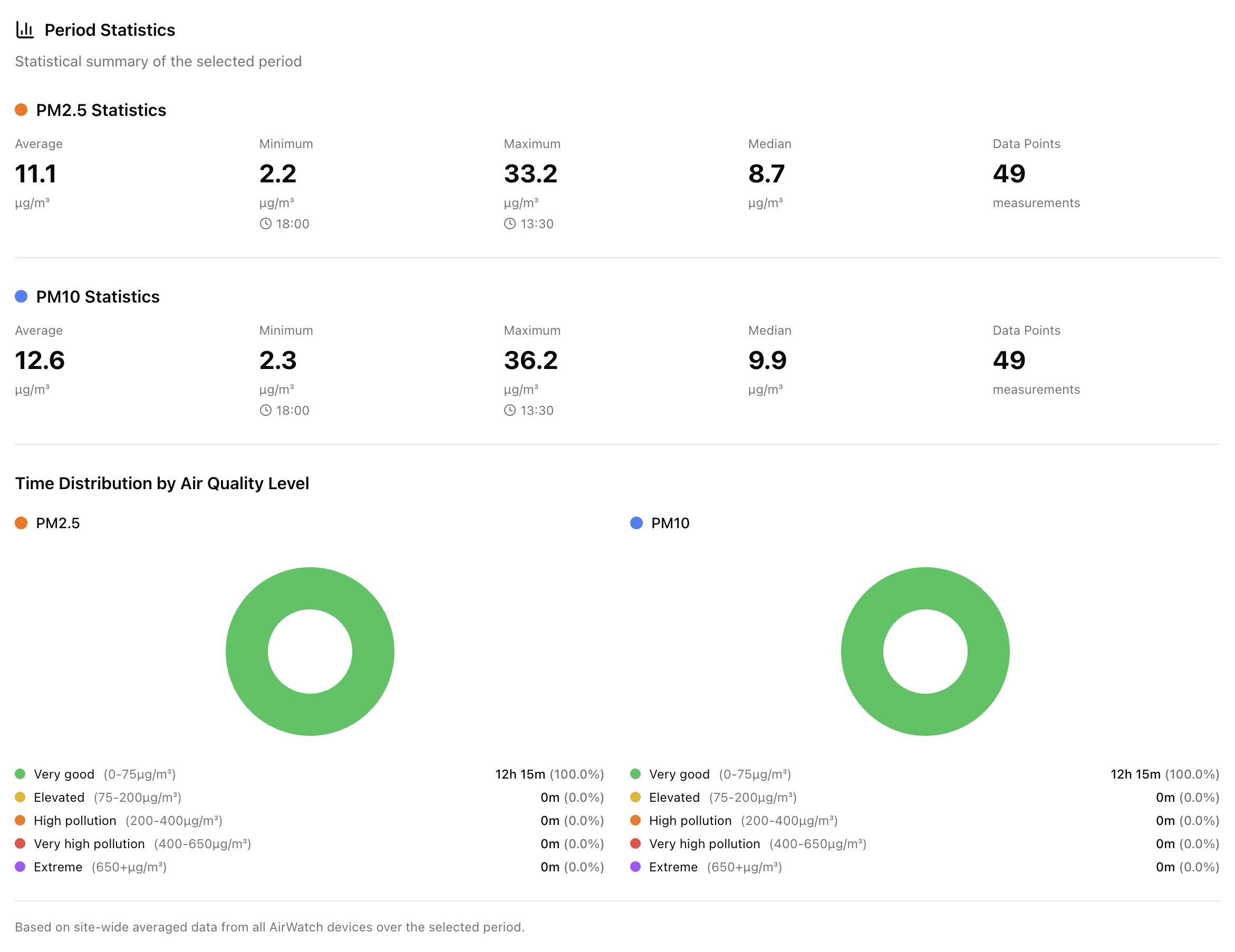
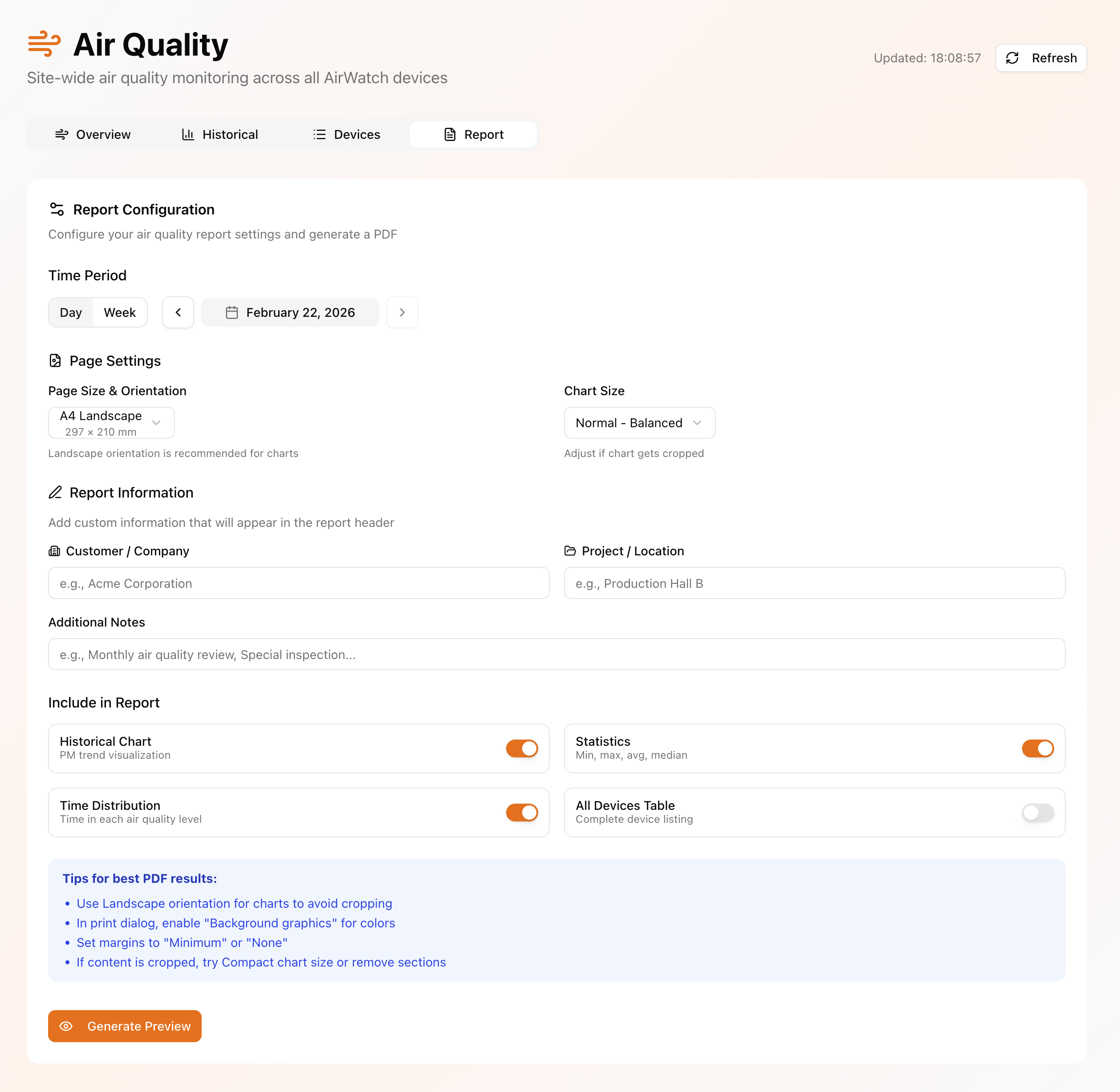
The **Report** tab allows users to generate a structured PDF air quality report directly from the dashboard.
Users can configure:
* The reporting period (e.g., day-based or week-based ranges)
* Custom time intervals
* Output format settings
The system generates a PDF document summarizing site-level air quality metrics, trends, and key indicators for the selected period.
This functionality is particularly useful for:
* Demonstrating compliance or improvements
* Validating the effectiveness of air quality optimization measures
* Providing structured documentation for customers, partners, or internal review
---
# Agent Instructions
This documentation is published with GitBook. GitBook is the documentation platform designed so that both humans and AI agents can read, navigate, and reason over technical content effectively. Learn more at gitbook.com.
## Querying This Documentation
If you need additional information that is not directly available in this page, you can query the documentation dynamically by asking a question.
Perform an HTTP GET request on the current page URL with the `ask` query parameter, and the optional `goal` query parameter:
```
GET https://docs.kemperconnect.de/monitoring-and-compliance/air-quality.md?ask=&goal=
```
`ask` is the immediate question: it should be specific, self-contained, and written in natural language.
`goal` is optional and describes the broader end goal you are ultimately trying to accomplish on behalf of the user. GitBook uses it to tailor the answer towards what is most useful for that goal.
The response will contain a direct answer to the question and relevant excerpts and sources from the documentation.
Use this mechanism when the answer is not explicitly present in the current page, you need clarification or additional context, or you want to retrieve related documentation sections.